
Jarvis-like Voice Assistant
Speak naturally → AI executes real tasks on your PC, not just answers questions. A fully functional desktop voice assistant that listens to your voice, understands context, and executes real actions on your computer, opening apps, composing emails, querying your databases, generating documents, browsing the web, and running automation scripts. Think Iron Man's Jarvis, built for your actual business workflow.
From Voice Commands to Real Actions
A fully functional desktop voice assistant that goes far beyond simple Q&A. It listens to your voice, understands context, and executes real actions on your computer, opening apps, composing emails, querying your databases, generating documents, browsing the web, and running automation scripts. Think Iron Man's Jarvis, built for your actual business workflow.
Built on Python, OpenAI Whisper for speech recognition, and GPT-4 for intent understanding, with PyAutoGUI and Playwright for real desktop and browser control, LangChain for orchestration, and ChromaDB for persistent context, the system reduces repetitive PC tasks by 70% with voice-driven automation that responds in under a second.
70% Less Clicking
Voice-Driven Workflow
Six Core Modules for Full Voice Control
From speech recognition to real task execution, every layer of a desktop voice assistant that actually does things, not just talks about them.
Natural Voice Recognition
OpenAI Whisper transcribes your speech in real-time with near-human accuracy, handles accents, background noise, and natural conversational phrasing without rigid command syntax.
Context-Aware Conversation
GPT-4 with LangChain maintains conversation memory and context, ask follow-up questions, reference prior commands, and chain multi-step tasks without repeating yourself.
App & Window Control
PyAutoGUI drives your desktop, open apps, switch windows, click buttons, fill forms, and navigate menus entirely by voice. Real cursor movement, real keystrokes, real control.
Email & Document Composition
Dictate an email and it's drafted, formatted, and ready to send in your mail client. Generate Word docs, fill templates, and create reports, all from spoken instructions.
Database & Web Queries
Ask a question and the assistant queries your database, fetches live data from the web via Playwright, and reads the answer back, no SQL, no browser tabs, no manual lookups.
Custom Automation Scripts
Trigger your own Python scripts and automation workflows by voice, run reports, sync files, call APIs, and execute multi-step processes without touching the keyboard.
Built on a Proven AI Stack
A robust pipeline of speech recognition, LLM orchestration, desktop automation, and vector retrieval, engineered for real-time, production-grade voice control.
The Productivity Advantage That Matters
Stop clicking through menus and typing repetitive commands. Let your voice drive your entire workflow while your hands stay free for real thinking.
Hands-Free Productivity
Reduce repetitive PC tasks by 70% with voice-driven automation, open apps, compose messages, and run workflows without ever touching the keyboard.
Execute, Don't Just Answer
Unlike chatbots that only respond with text, this assistant performs real actions, clicking, typing, querying, and navigating your desktop and browser on command.
Custom Workflow Integration
Wire your own scripts, databases, and APIs into voice commands, trigger any automation you've built by simply speaking, with context carried across the session.
Works Offline & Online
Local speech recognition and text-to-speech via pyttsx3 keep core functionality working without internet, cloud GPT-4 adds reasoning when you're connected.
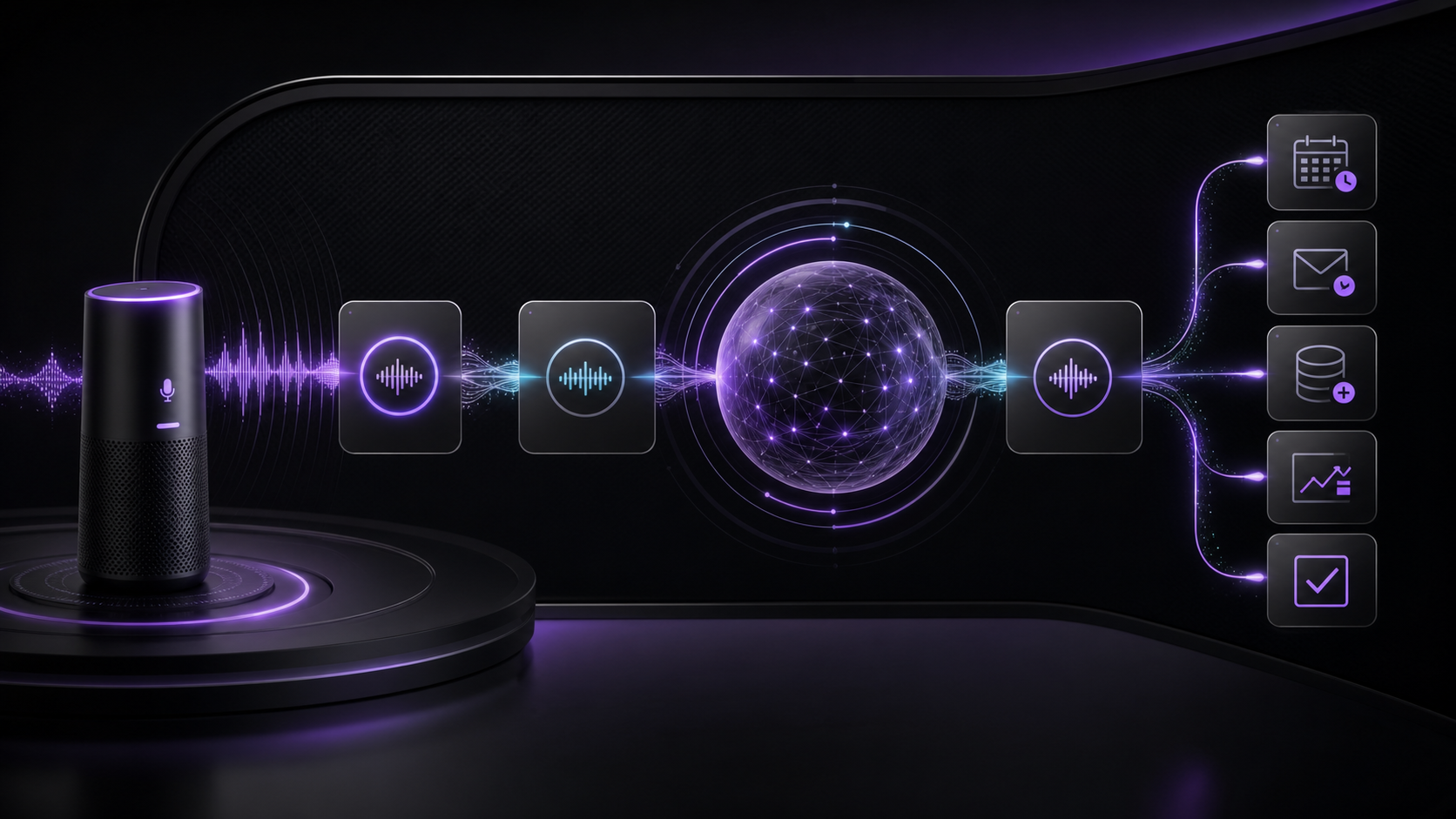
From Spoken Words to Executed Actions
A real-time pipeline that listens to your voice, understands intent, executes the action on your PC, and confirms the result, all in under a second.
Listen & Transcribe
PyAudio captures your voice in real-time and OpenAI Whisper transcribes it with near-human accuracy, handling natural speech, accents, and conversational phrasing.
Understand Intent
GPT-4 with LangChain parses the transcription, identifies the intended action, resolves context from conversation memory and ChromaDB, and plans the execution steps.
Execute Action
PyAutoGUI and Playwright carry out the real task, opening apps, clicking, typing, querying databases, running scripts, or navigating the browser on your desktop.
Confirm & Continue
pyttsx3 speaks the result back to you, the outcome is stored in context, and the assistant is ready for your next command, a continuous, hands-free conversation loop.
Questions, Answered
Does it actually execute tasks or just answer questions?
It executes real tasks. Unlike chatbots that only generate text responses, this assistant uses PyAutoGUI and Playwright to physically open apps, click buttons, type text, query databases, run scripts, and navigate your browser, your voice drives real desktop actions.
Can it control any application?
Yes. Any application with a graphical interface can be controlled via simulated mouse and keyboard input. For browser-based apps, Playwright provides deeper DOM-level control. We configure specific workflows for your most-used apps during deployment.
Is my voice data sent to the cloud?
Only if you choose cloud-based transcription. OpenAI Whisper can run locally for fully offline speech recognition, and pyttsx3 handles text-to-speech on-device. GPT-4 reasoning requires an API call, but you control when and what is sent.
Can I add my own custom commands?
Absolutely. You can register custom Python scripts and automation workflows as voice commands. The assistant maps spoken phrases to your scripts, so any process you can code can be triggered by voice, with context carried across the session.
What hardware do I need?
A Windows or macOS desktop with a microphone and speakers. For fully offline Whisper transcription, a GPU is recommended but not required, CPU inference works with slightly higher latency. Cloud-based transcription runs on any machine.
Speak. AI Executes.
Book a consultation and see how a Jarvis-like voice assistant can reduce your repetitive PC tasks by 70%, with real task execution, custom workflow automation, and under-one-second response times.